Why we made this
I got tired of watching my kids play games stuffed with ads, pop-ups and “buy more gems” buttons: games built to keep them tapping and spending, not to be fun. Too often, playtime ended in frustration.
So we decided to make our own. My kids dream up the games (the worlds, the rules and all the silly parts) and we build them together with help from Claude, an AI assistant. Every game here started as a kid’s idea.
What you won’t find here
- No ads. Not one.
- No in-app purchases. Everything is free.
- No blood or gore. Not even a little.
- No violence. Cars crash and llamas tumble, but nobody ever gets hurt.
- No accounts or sign-ups. Just tap and play.
- No tracking. Saved games stay on your device.
Make it look like a real app
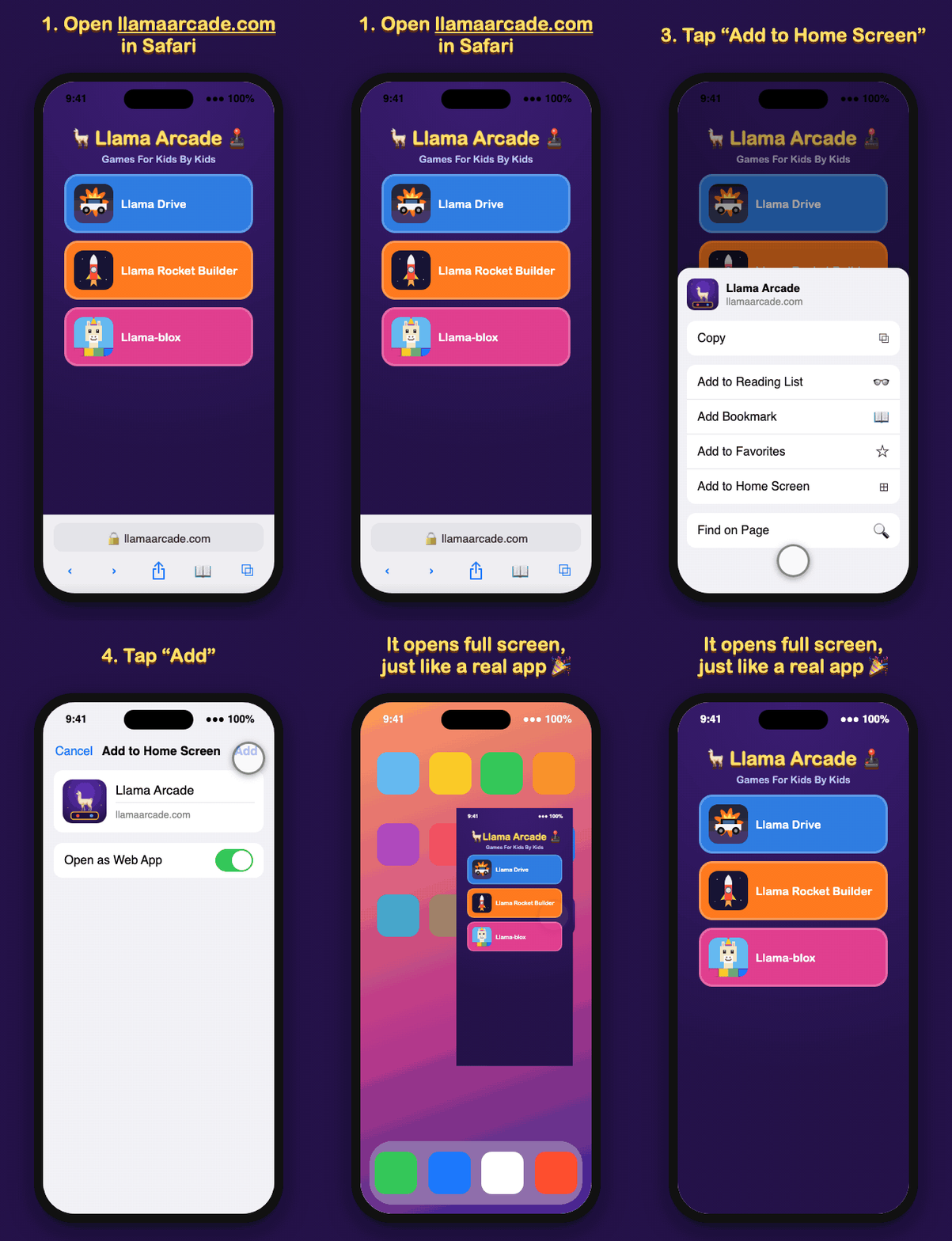
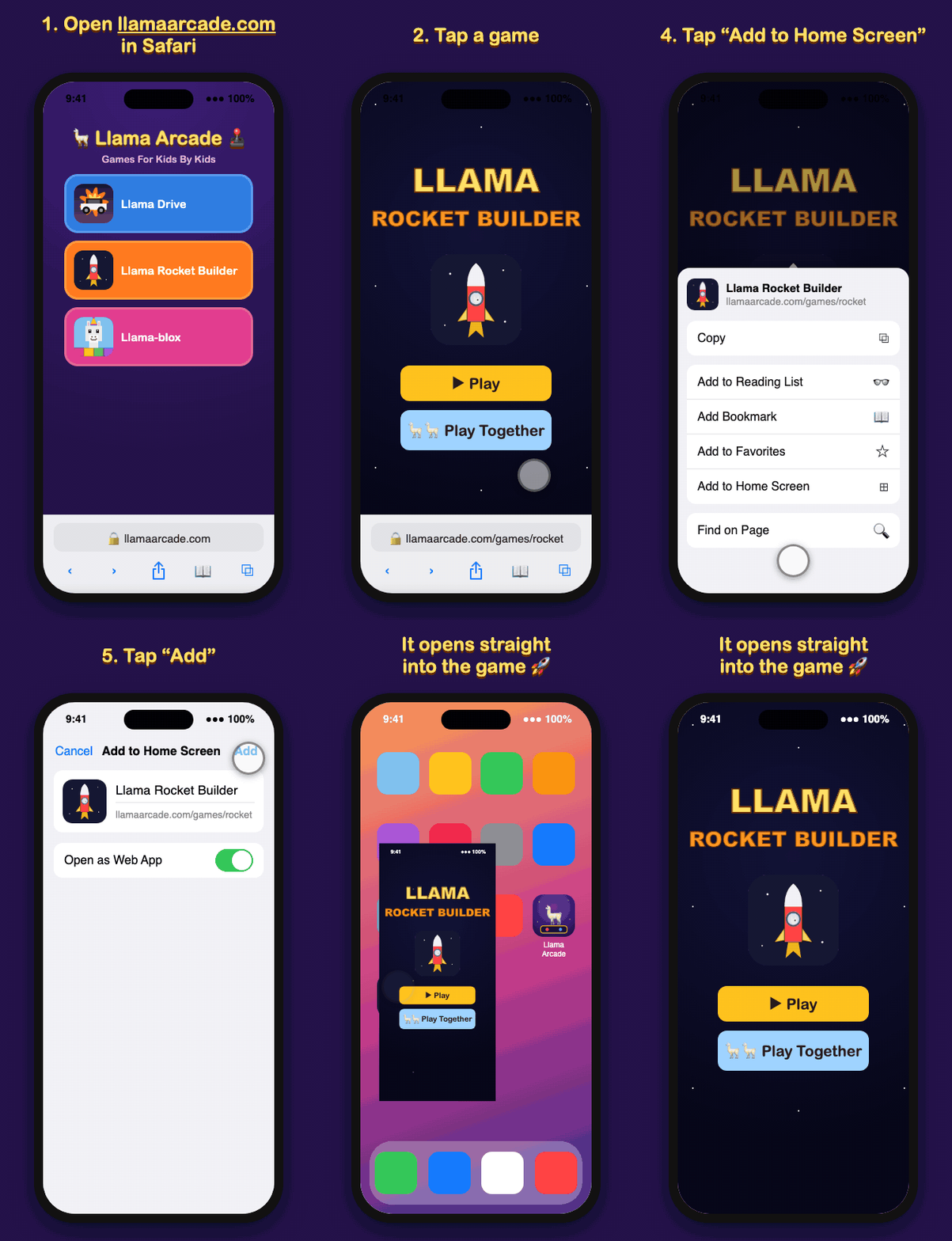
Add Llama Arcade to your iPhone or iPad home screen and it gets its own icon and opens full screen, with no browser bars, just like an app from the App Store. Once it’s been opened, it even works without Wi-Fi. You can add the whole arcade, or just your kid’s favorite game.
iPhone and iPad (Safari)
- Open llamaarcade.com in Safari.
- Tap the Share button (the square with an arrow). On newer iOS it may be inside the ··· menu.
- Tap Add to Home Screen.
- Tap Add.
iPhone and iPad (Chrome)
- Open llamaarcade.com in Chrome.
- Tap the Share button in the address bar.
- Tap Add to Home Screen.
- Tap Add.
Android (Chrome)
- Open llamaarcade.com in Chrome.
- Tap the ⋮ menu.
- Tap Add to Home screen (or Install app).
💡 To give one game its own icon, tap the game first, then follow the same steps.